密鑰來源
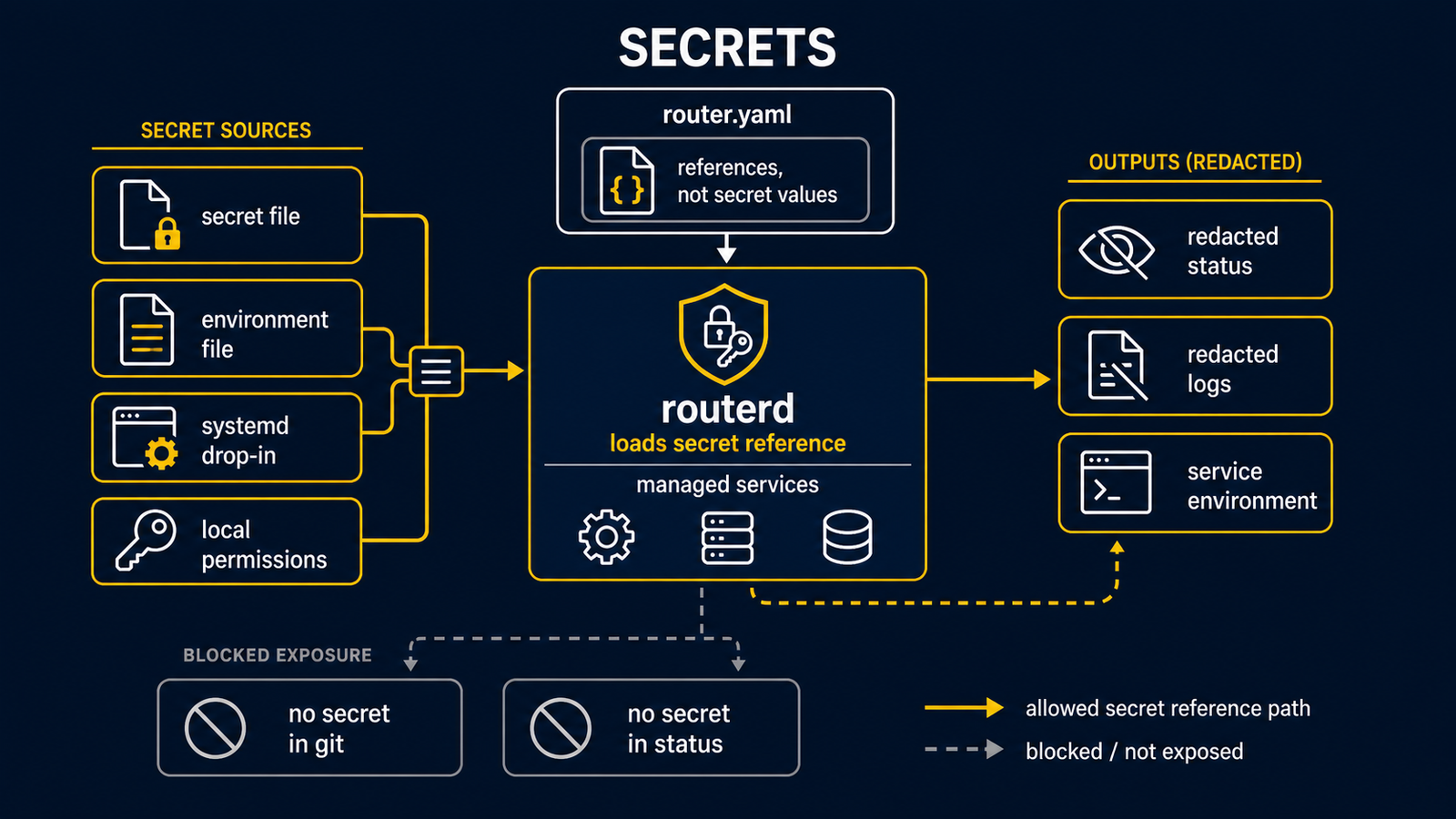
routerd 支援透過檔案或環境變數作為密鑰來源,用於 BGP peer 密碼及 VRRP/CARP 驗證。正式環境設定中,請優先使用下列欄位,而非直接在 password 或 authentication 欄位內嵌值:
passwordFrom:
  file: /usr/local/etc/routerd/secrets/bgp-password
  base64: false
authenticationFrom:
  env: ROUTERD_VRRP_AUTH
運維注意事項如下:
- 密鑰檔案請置於以 git 管理的設定目錄之外。
- host-local 密鑰檔案的預設位置是
/usr/local/etc/routerd/secrets/。 - 請設定為 root 擁有、權限模式
0600的檔案,或使用服務管理器的憑證機制,確保只有 routerd 能讀取該檔案。 - 請勿公開在正式主機上產生的 keepalived 或 CARP 設定,因為產生的檔案包含已解析的密鑰值。
base64: true是為了透過檔案或環境變數傳遞而使用的編碼方式,並非加密。routerctl validate在參照的密鑰檔案尚不存在時會顯示警告。產生(render)與套用(apply)時,來源必須是可讀取的狀態。
在 Live ISO 使用 USB 持久化時,/usr/local/etc/routerd/secrets 下的檔案會由
live-persistence.sh save-config 與 flush 複製到持久化裝置的 routerd/secrets/。
開機時會在套用 router.yaml 前還原這些檔案。host-specific 的
routerd/hosts/<hostname>/secrets/ 與 routerd/hosts/<mac>/secrets/ 優先於通用的
routerd/secrets/。