内部 Web 服务器的端口转发
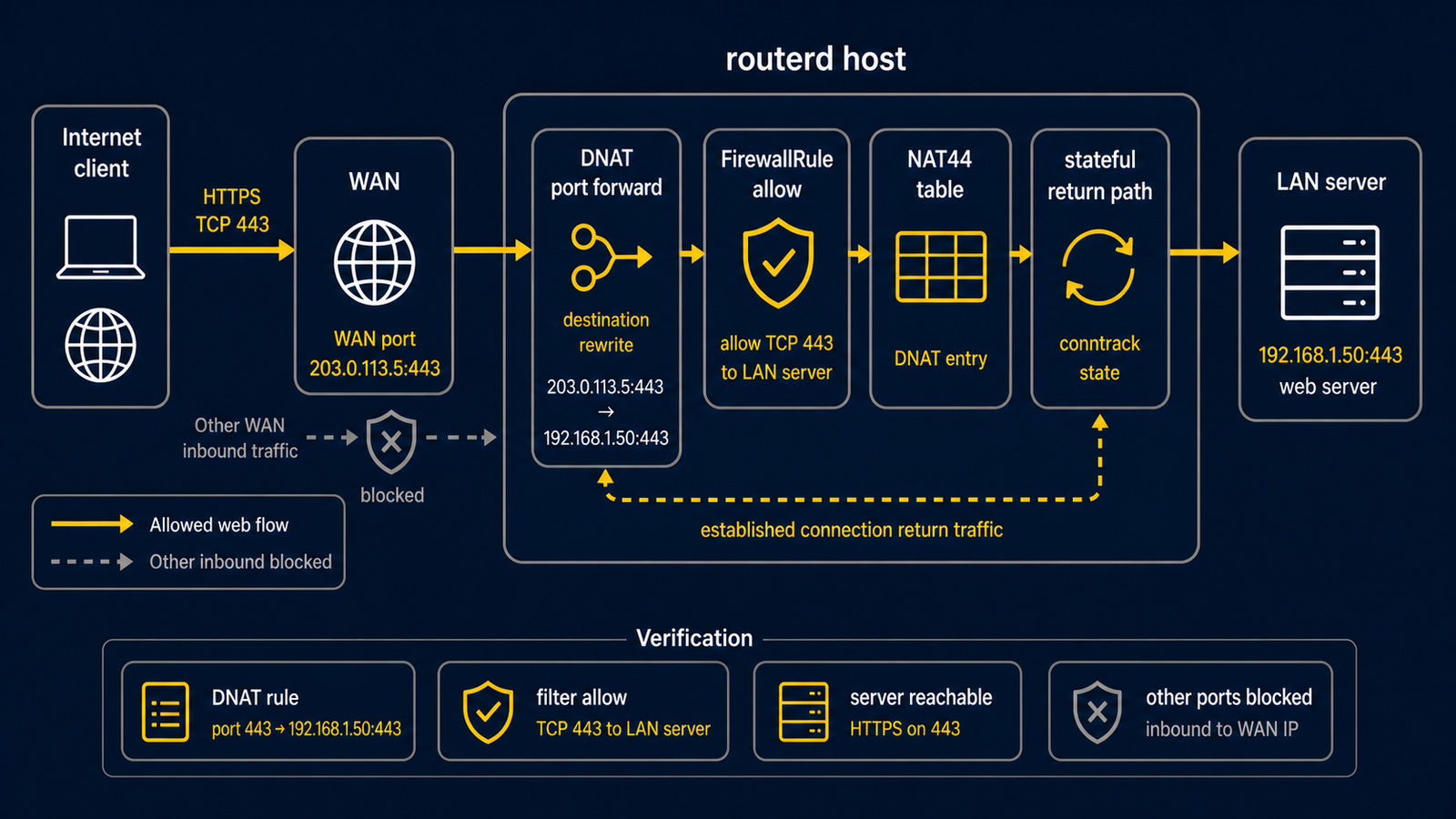
通过 WAN 侧 IPv4 地址公开内部 HTTPS 服务器, 并启用 hairpin 让 LAN 客户端也能以相同公开名称访问的示例。
完整 YAML 位于 examples/example-port-forward-web.yaml。
构成图
图示对应表
| 编号 | 含义 | 主要资源 |
|---|---|---|
| [1] | 外部客户端连接的公开地址与端口。 | PortForward/web-https.spec.listen |
| [2] | 生成(render) ingress DNAT 与 hairpin 规则的路由器。 | PortForward/web-https |
| [3] | hairpin 流量进入的 LAN 接口。 | PortForward/web-https.spec.hairpin.interfaces |
| [4] | DNAT 目的地的内部 HTTPS backend。 | PortForward/web-https.spec.target |
| [5] | 使用公开地址或公开 DNS 名称的 LAN 客户端。 | hairpin path |
要点
# [1] 对外 listener。hairpin 时这里需要具体的 address。
- apiVersion: firewall.routerd.net/v1alpha1
  kind: PortForward
  metadata:
    name: web-https
  spec:
    listen:
      interface: wan
      address: 203.0.113.10
      protocol: tcp
      port: 443
    # [4] 接收经 DNAT 的 connection 的内部 backend。
    target:
      address: 192.168.10.20
      port: 443
    # [3] 让 LAN client 也能使用相同的对外 address。
    hairpin:
      enabled: true
      interfaces:
        - lan
使用 hairpin 时,需要从 LAN 侧可见的公开目的地地址。
因此请指定 listen.address 或 listen.addressFrom。
确认
先在 daemon 未启动时进行独立检查。以下命令需要具有 sudo 权限的本地用户,但不会应用网络变更。
LAB_DIR="$(mktemp -d)"
sudo routerd validate --config examples/example-port-forward-web.yaml
sudo routerd apply --config examples/example-port-forward-web.yaml --once --dry-run --skip-service-manager \
  --state-file "$LAB_DIR/state.db" \
  --ledger-file "$LAB_DIR/ledger.db" \
  --status-file "$LAB_DIR/status.json"
rm -rf "$LAB_DIR"
只有在已应用审核后的配置且服务正在运行后,才在路由器上使用 sudo routerctl describe PortForward/web-https 和 sudo nft list table ip routerd_nat。
常见调整项目
- 将
203.0.113.10改为实际的 WAN 侧 IPv4 地址。 - DNS 请另行设置,使公开名称解析至此地址。
- 公开的端口请控制在必要最小限度。