Port forward to an inside web server
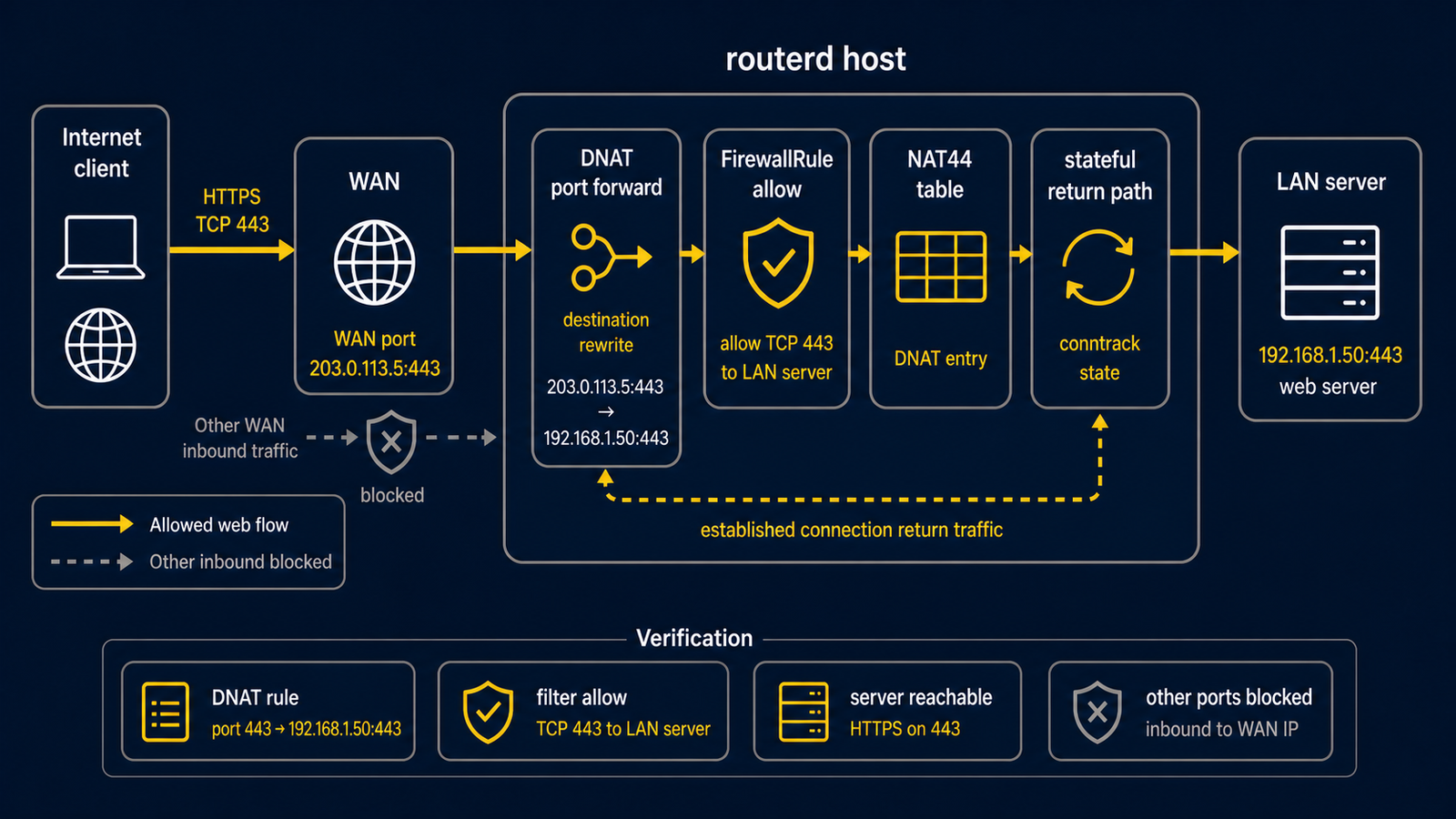
This example publishes one internal HTTPS server through one WAN-side IPv4 address and enables hairpin access so LAN clients can use the same public name.
The complete, validated YAML is in examples/example-port-forward-web.yaml.
Publishing a service changes who can reach it
This example makes one inside service reachable from the WAN. Use a test address first, verify the backend is patched and authenticated, and confirm an independent firewall/security review before exposing a real service.
Topology
Diagram map
| No. | Meaning | Main resources |
|---|---|---|
| [1] | Public-side address and port that clients connect to. | PortForward/web-https.spec.listen |
| [2] | Router that renders ingress DNAT and hairpin rules. | PortForward/web-https |
| [3] | LAN interface where hairpin traffic can arrive. | PortForward/web-https.spec.hairpin.interfaces |
| [4] | Internal HTTPS backend. | PortForward/web-https.spec.target |
| [5] | LAN client using the public address or public DNS name. | Hairpin path |
What this manages
| Area | routerd resources |
|---|---|
| Ingress DNAT | PortForward/web-https |
| Hairpin access | PortForward.spec.hairpin |
| Zones and policy | FirewallZone/wan, FirewallZone/lan, FirewallPolicy/home |
Key config
# [1] Public-side listener. Hairpin requires a concrete address here.
- apiVersion: firewall.routerd.net/v1alpha1
  kind: PortForward
  metadata:
    name: web-https
  spec:
    listen:
      interface: wan
      address: 203.0.113.10
      protocol: tcp
      port: 443
    # [4] Internal backend that receives the DNATed connection.
    target:
      address: 192.168.10.20
      port: 443
    # [3] Allow LAN clients to use the same public address.
    hairpin:
      enabled: true
      interfaces:
        - lan
Hairpin mode requires a known listen.address or listen.addressFrom, because
LAN-side clients must match the public destination address before DNAT.
Checks
routerd validate --config examples/example-port-forward-web.yaml

workdir=$(mktemp -d)
routerd apply --config examples/example-port-forward-web.yaml --once --dry-run \
  --state-file "$workdir/state.db" \
  --ledger-file "$workdir/ledger.db" \
  --status-file "$workdir/status.json"
rm -rf "$workdir"
After a reviewed configuration is running, use sudo routerctl describe PortForward/web-https and sudo nft list table ip routerd_nat from the router.
Common edits
- Replace
203.0.113.10with the actual WAN-side IPv4 address. - Add DNS outside routerd so the public name resolves to that WAN address.
- Keep only the ports you truly intend to publish.