routerd documentation
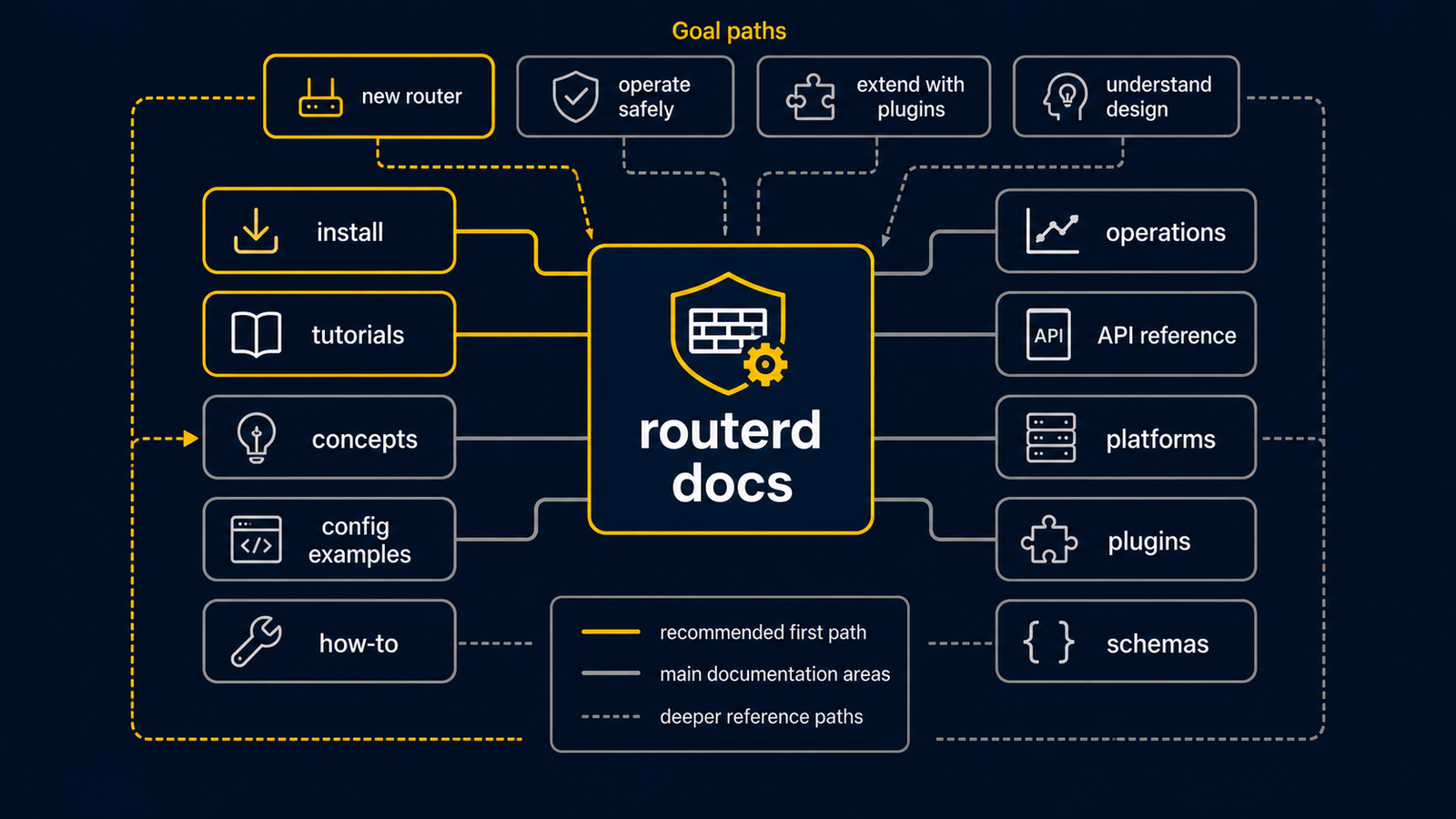
routerd describes a router in YAML, checks the description, and applies the matching host configuration. A router is a computer that connects networks. In routerd, one file can describe the WAN side, the LAN side, DHCP, DNS, routes, and selected services instead of scattering the intent across many unrelated files.
For a first live test, use an isolated Ubuntu Server VM or a spare computer and keep a console or separate management network. A live apply can change routes, addresses, and services. Do not begin with the only router for a home, school, or workplace.
For a new deployment, start from the recommended stable milestone v20260914.0729. The current release may contain newer work; the Stable milestone page explains why this milestone is the production recommendation.
First route for a new reader
- Network basics — WAN, LAN, DHCP, DNS, NAT,
and the
/24notation in plain language. - Install and upgrade — install routerd on an isolated Ubuntu Server lab host.
- Getting started safely — validate and preview a file before any live network change.
- Bring up the first lab router — test DHCP and IPv4 NAT with one isolated LAN client.
- Resource model — learn how a routerd file links its named resources together.
Ubuntu Server is the primary, most exercised target. FreeBSD and NixOS include groundwork and selected integration paths, but are not the recommended first platform. See Supported platforms before choosing one.
Find the page for your goal
| If you want to… | Start here |
|---|---|
| Install or upgrade routerd | Install and upgrade |
| Learn basic networking words first | Network basics |
| Make a first safe lab configuration | Getting started safely |
| Build a working DHCP/NAT lab router | Bring up the first lab router |
| Understand what routerd is and why it exists | What is routerd? |
| Generate a starter config in the browser | routerd config wizard |
| Enable editor completion and validation | VS Code YAML schema |
| Operate a running router | Reconcile |
| Look up a resource kind or field | Resource API |
| Read release changes | Changelog |
How the documentation is organized
- Start — a safe first path and the vocabulary needed to follow it.
- Learn — concepts such as resource ownership, rendering, and reconcile.
- Build — focused features such as DNS, firewall groundwork, and multi-WAN.
- Configuration examples — complete examples with prerequisites and limits.
- Tutorials and how-to guides — a practical task with checks and safe stopping points.
- Operate and reference — status, state, platform support, and API details.
If a page uses a word you do not know, follow its first link or use the glossary. It is safer to understand one small step than to combine several advanced examples at once.