Configuration examples
This section is a catalog of small, copyable router patterns. It is intentionally closer to a vendor "configuration example collection" than to a design document: each page starts with a topology diagram, states what routerd can manage today, then shows the smallest useful YAML shape.
Use these examples as starting points, not as drop-in production configs. Always replace interface names, address ranges, ISP values, and management access before applying them to a real router.
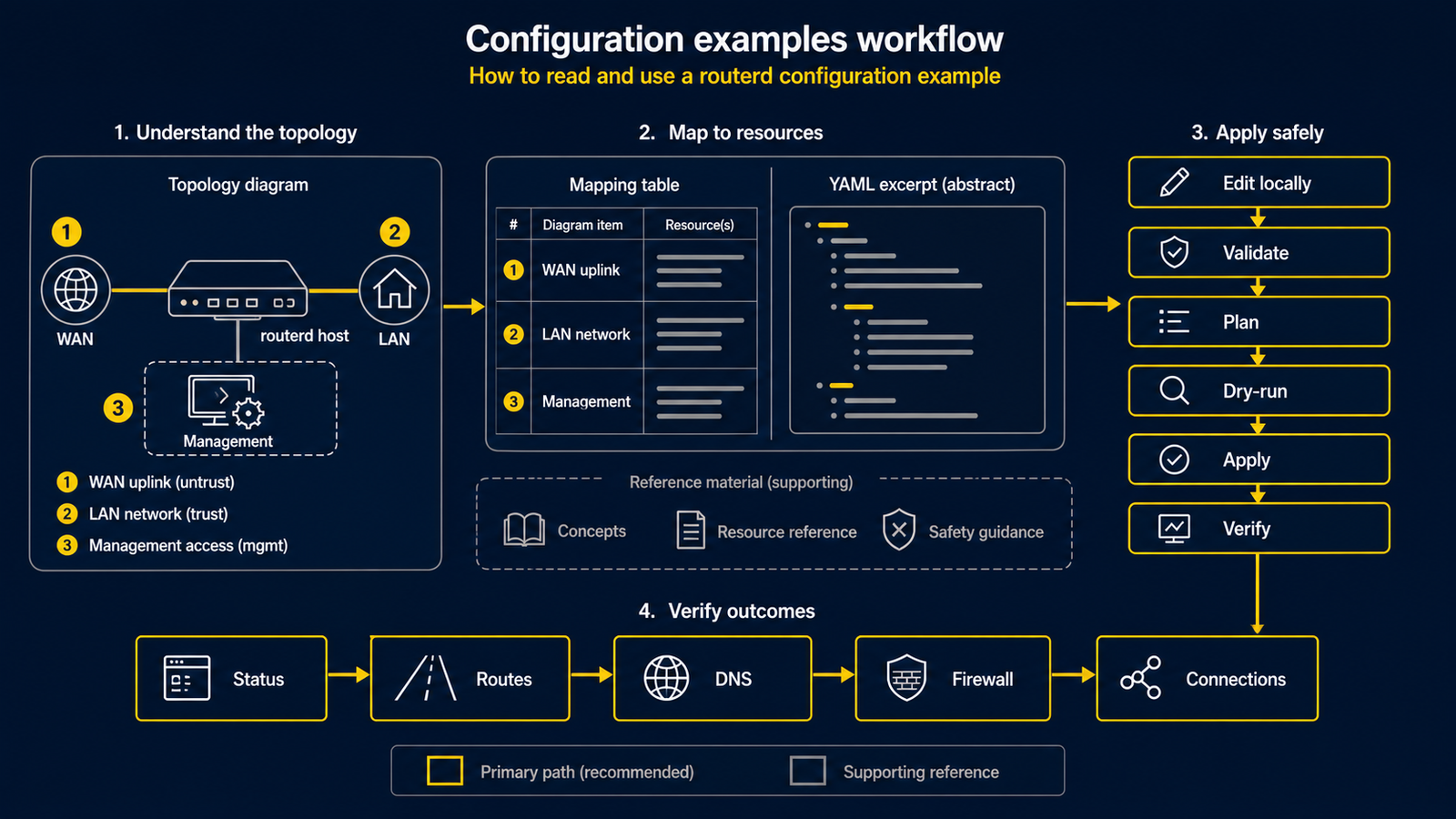
For a first isolated IPv4 lab, begin with Basic IPv4 NAT gateway. It has one DHCP WAN and one private LAN. The home-router, DS-Lite, PPPoE, BGP, and management-protected examples are useful later, but they assume ISP facts, more interfaces, or a working baseline. Do not treat any example as a universal safe default.
How to read an example
Each example follows the same structure:
- Topology: the physical or logical network layout.
- Diagram map: numbered parts in the diagram and what each part means.
- Example config: complete YAML in
examples/, with numbered YAML excerpts in the page. - Apply sequence: validation and dry-run commands to run first.
- Checks: commands that confirm the router converged.
The numbers in diagrams and YAML comments intentionally match. For example,
[1] in a diagram points to the same concept as # [1] in the config excerpt.
Ready-to-try examples
| Example | Status | Use when |
|---|---|---|
| Basic IPv4 NAT gateway | Works today | The WAN gets IPv4 by DHCP and the LAN uses private IPv4 with DHCPv4. |
| LAN DHCP and local DNS | Works today | You want routerd to serve DHCPv4, a local DNS zone, and DHCP-derived names on one LAN. |
| DS-Lite home gateway | Works today with ISP-specific values | The access line is IPv6-first and IPv4 goes through a DS-Lite tunnel. |
| PPPoE IPv4 NAT gateway | Works today with ISP credentials | The WAN is an Ethernet access line and IPv4 comes from a PPPoE session. |
| Port forward to an inside web server | Works today with a known WAN address | You need to publish one inside HTTPS service and support hairpin access from LAN clients. |
| Kubernetes API VIP with BGP | Works today with routerd-bgp GoBGP and keepalived | You want routerd to hold a Kubernetes API VIP, health-check control planes, and receive Service prefixes by BGP. |
| Guest and IoT client isolation | Router policy example | You understand it is not VLAN, SSID, switch-port, or Wi-Fi client isolation. |
| Firewall rate limits and ICMP rules | Firewall groundwork | You are testing on an isolated host, not depending on it as the sole security boundary. |
| Multi-WAN IPv4 failover | Works today; tune health checks carefully | Several IPv4 egress paths exist and routerd should select a healthy default route. |
| Redirect public DNS to the local resolver | Works today on Linux nftables | LAN clients try to query public plaintext DNS directly and you want port 53 to stay local. |
| Tailscale subnet and exit node | Works today when Tailscale is installed | The router should advertise LAN routes or an exit-node service into a tailnet. |
| WireGuard hub and spoke template | Template; replace keys and peer routes | You want a compact starting point for a routed WireGuard hub. |
| Telemetry export to an OTLP collector | Works today when a collector exists | You want routerd logs, metrics, and traces sent to an observability stack. |
Patterns not ready as copyable examples
The following patterns are useful for first-time users, but they should not be shown as ready-to-run YAML until the corresponding renderer or operational guidance is complete:
| Pattern | Current state |
|---|---|
| MAP-E / v6plus-style IPv4 over IPv6 | Not implemented as a first-class resource yet. |
| OSPF or non-BGP dynamic routing | Not implemented. Embedded GoBGP is available for Kubernetes-style Service prefix import. |
| Full IPsec site-to-site cookbook | IPsec groundwork exists; production renderer parity is not documented as complete. |
Safety checklist
Before applying an example on a router you are actively using:
- Keep console or hypervisor access available.
- Know which interface carries management traffic.
- Before a daemon exists, run
routerd validateand an isolated dry-run first. - Check the result for the management interface address, route, and expected host artifacts.
- Apply from the release binary installed on the router, not from an unrelated development tree.
sudo routerd validate --config router.yaml

workdir=$(mktemp -d)
sudo routerd apply --config router.yaml --once --dry-run --skip-service-manager \
  --state-file "$workdir/state.db" \
  --ledger-file "$workdir/ledger.db" \
  --status-file "$workdir/status.json"
rm -rf "$workdir"

# Only from a console or independent management path:
sudo routerd apply --config router.yaml --once

# After routerd.service is running:
sudo routerctl get status