Tutorials
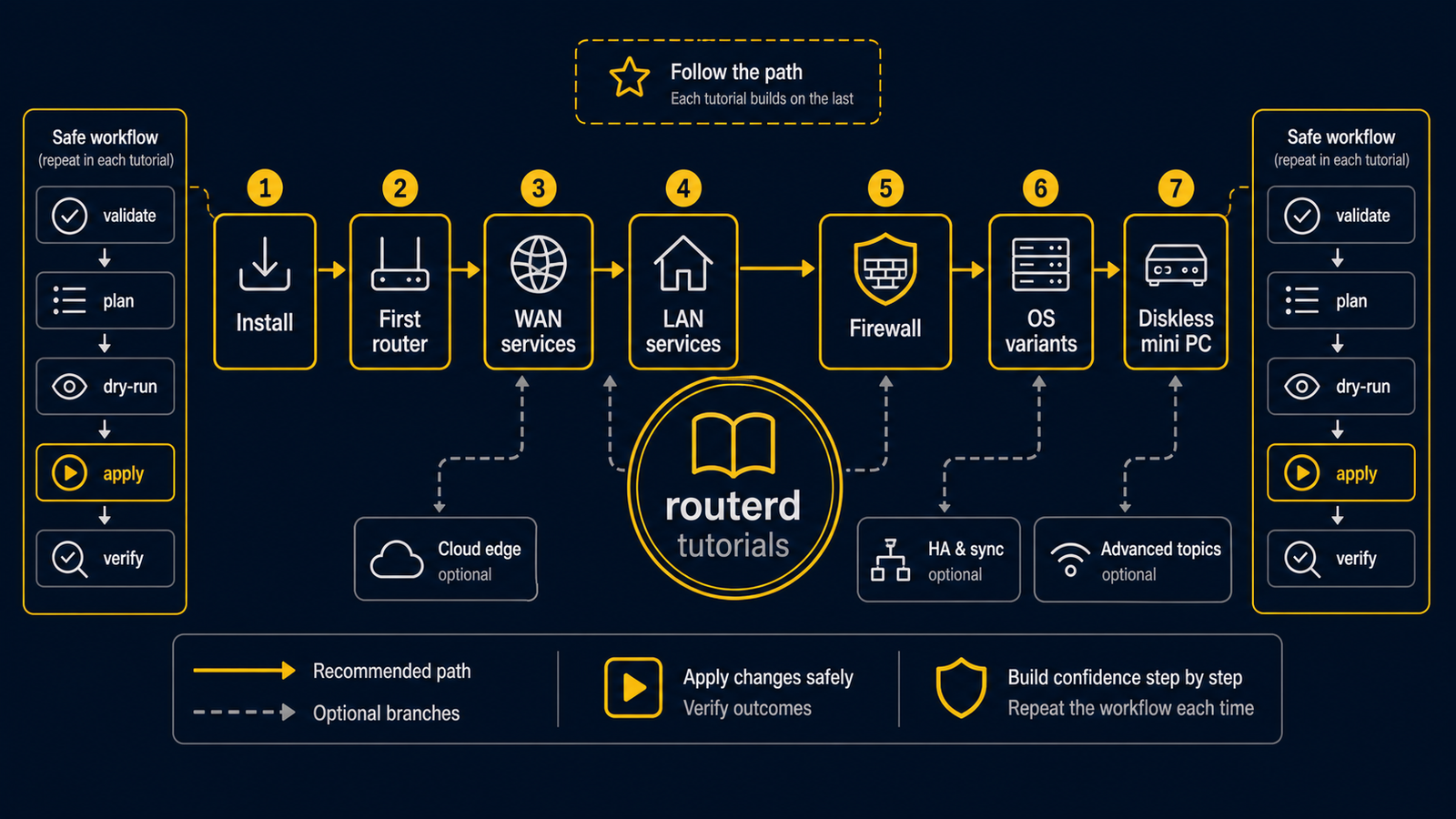
Start with one small, observable goal. Do not start with a production router or an ISP-specific configuration.
First path: an isolated Ubuntu lab
- Network basics — learn WAN, LAN, DHCP, DNS, NAT, and the shape of a routerd resource.
- Install and upgrade — install the release on an Ubuntu Server VM or spare computer.
- Getting started safely — validate and dry-run a file before any live change.
- Bring up the first lab router — test DHCP and IPv4 NAT with a client on an isolated LAN.
- LAN-side services and WAN-side services — add one feature at a time.
Choose the next tutorial by goal
| Goal | Read this next | Prerequisite |
|---|---|---|
| Add local DHCP, DNS, RA, or NTP | LAN-side services | Working isolated LAN |
| Add DHCPv6-PD, PPPoE, or DS-Lite | WAN-side services | ISP-specific facts and a recovery path |
| Understand current firewall resources | Basic NAT and firewall policy | Do not use as the only Internet security boundary |
| Use a diskless mini PC | Diskless mini PC walkthrough | A removable USB you can identify safely |
| Start from FreeBSD | FreeBSD getting started | Feature support review; Ubuntu is the first-lab target |
Advanced examples come later
The configuration examples for DS-Lite, multi-WAN, WireGuard, Tailscale, CloudEdge SAM, Kubernetes, and high availability solve real problems, but each assumes a working basic router first. Read their prerequisites before applying them. A sample is a map of one situation, not a safe default for every network.